

Stable Diffusion 3.5
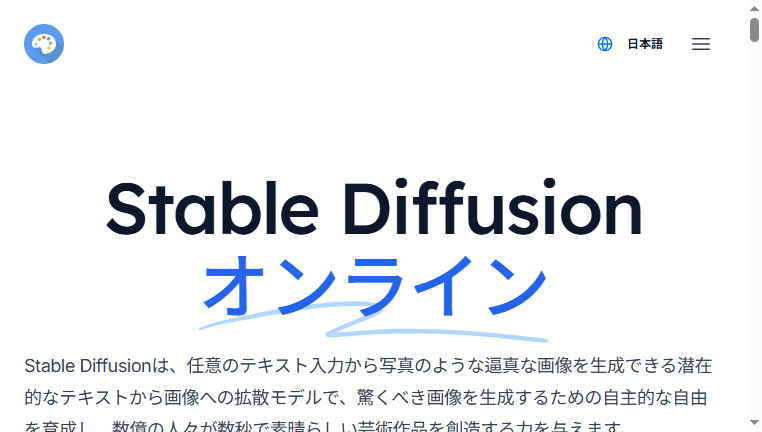
Stable Diffusion 3.5 is a free, open-source image generator that excels in creating images from textual descriptions, enhancing creative possibilities for users. This tool can be locally installed, allowing for greater flexibility and customization. With its ability to utilize templates, it streamlines the image generation process, enabling users to produce artworks that meet specific standards or themes. Its open-source nature encourages community contributions, making it a great choice for developers and artists looking for a customizable solution.
Categories: Image Generators
Tags: Free
Other versions of Stable Diffusion 3.5
For detailed specifications and features of each Stable Diffusion 3.5 model, please refer to the detailed page for each version.- Feature Tool Stable Diffusion 3
- Feature Tool Stable Diffusion 3 Medium
- Core Tool Stable Diffusion
What you can do with Stable Diffusion 3.5 and why it’s useful
◆Main Functions and Features
・Text Input Processing. This feature converts user-provided text prompts into unique images. It utilizes advanced machine learning algorithms that understand and interpret diverse textual inputs, resulting in a more tailored and relevant output.
・Template Utilization. Stable Diffusion allows users to create and utilize templates, simplifying the generation process. This feature helps maintain consistency across projects and reduces the time spent recreating similar styles or themes.
・Local Installation. Users can install the software locally, offering full control over their image generation process. This feature aids in maintaining privacy and provides room for further modification of the software.
・Community and Plugin Support. As an open-source tool, it encourages a thriving community where users can develop plugins and share their modifications, contributing to ongoing enhancements and feature expansions.
・Real-time Editing. Users can adjust their text prompts in real-time and see immediate updates to the generated images. This interactivity allows for quick iterations and refinements based on user preferences.
・Scalable Output Quality. The tool is designed to produce images in various resolutions, making it applicable for both personal projects and professional use in digital publications.
◆Use Cases and Applications
・Artistic Exploration. Artists can use Stable Diffusion to experiment with different styles and subjects, helping to inspire new creative directions for their projects.
・Marketing Material Creation. Businesses can quickly generate visuals for their marketing campaigns, ensuring they have unique images that resonate with specific audiences.
・Product Design Prototyping. Designers can visualize new concepts rapidly, gaining valuable feedback early in the development process before committing to production.
・Content for Social Media. Users can produce eye-catching images for social media platforms, aiding in crafting engaging posts that attract audience attention.
・Education and Training Resources. Educational institutions can create custom illustrations and graphical content for teaching materials, enhancing the learning experience with visually appealing resources.
・Game Asset Development. Game developers can generate assets for their games, including backgrounds and character designs, saving time and resources in the creative process.
Stable Diffusion 3.5 :Q&A
Who can use Stable Diffusion 3.5?
Designed for illustrators, graphic designers, writers, web creators, ad agencies, and social media managers.
What are the main use cases for Stable Diffusion 3.5?
Generates images from keywords, creates characters, builds backgrounds, produces thumbnails, and makes visuals for articles.
What pricing plans does Stable Diffusion 3.5 offer? Is there a free plan or only paid plans?
Preview-quality output is often free, while high-resolution or commercial use generally requires a paid plan.
Copyright © 2026 AI Ranking. All Right Reserved