
MJSplitter
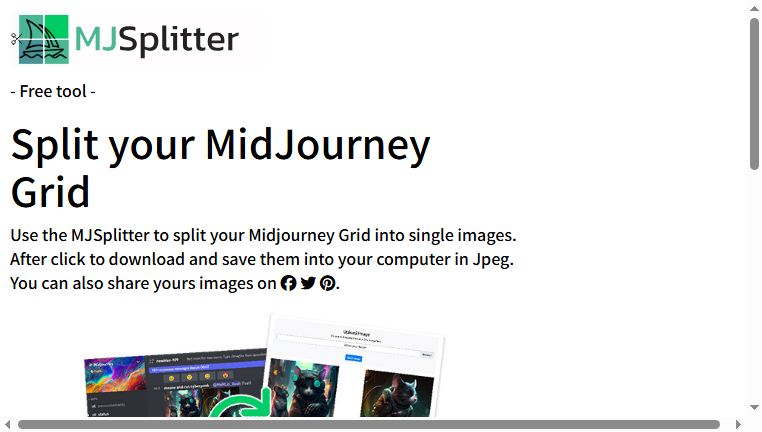
MJSplitter is a specialized tool for separating grid images from Midjourney into individual images, allowing for easy downloading. Users can upload their image grids or paste grid URLs for quick splitting. This efficient solution streamlines the image management process, making it easier to work with multiple images created during AI art generation.
Categories: Prompts & Aids
Tags: Free
What you can do with MJSplitter and why it’s useful
◆Main Functions and Features
・Grid Uploading
Effortlessly upload grid images generated by Midjourney for separation. The ease of uploading ensures users can quickly process images without complications.
・Image Splitting
Accurately divide grid images into individual components with just a few clicks. This functionality saves significant time, making image management straightforward and efficient.
・Download Capability
Once images are split, users can download them in JPEG format instantly. This feature enhances the convenience of maintaining a personal image library.
・User-friendly Interface
Navigate the tool's user-friendly setup designed for simple operation. Intuitive controls help streamline the splitting process, making it accessible for users of all experience levels.
・Link Sharing
Allow for quick sharing of your generated images through various platforms. This promotes visibility of AI art and enhances collaborative opportunities.
・Automatic Deletion
Images are automatically deleted from the server after 24 hours, ensuring privacy and security. Users can confidently manage their images without concerns over stored data.
◆Use Cases and Applications
・AI Artwork Management
Quickly split and save individual images from a Midjourney grid to better organize AI-generated art for projects, portfolios, or presentations.
・Gallery Preparation
Use the splitting feature to prepare artwork for online galleries, enabling artists to showcase their work in convenient single-image formats.
・Social Media Sharing
Easily download and share images on social platforms, ensuring that the best pieces of art are readily accessible to audiences.
・Project Compilation
Gather individual images for compilation into projects or collaborations, simplifying the workflow for artists and creators working with multiple visuals.
・Time Efficiency
Reduce time spent on image handling tasks, allowing more focus on creative endeavors rather than technical processes of image organization.
・Archive Creation
Facilitate the creation of archives for future reference or backups, ensuring that valuable artwork is safely stored in an easily navigable format.
Copyright © 2026 AI Ranking. All Right Reserved