
Midjourney Video V1
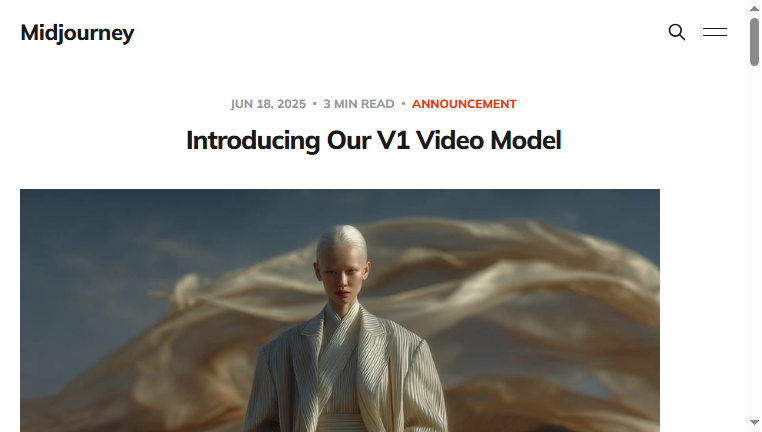
Midjourney Video V1 enables users to animate images into engaging videos effortlessly. The AI model offers both automatic and manual animation options, allowing for artistic freedom in adjusting movement levels. Users can also import personal images for customized animations, making it a versatile tool for creative projects.
Categories: Latest AI
Tags: Free
Other versions of Midjourney Video V1
For detailed specifications and features of each Midjourney Video V1 model, please refer to the detailed page for each version.- Feature Tool MidJourney V6.1
- Core Tool MidJourney
What you can do with Midjourney Video V1 and why it’s useful
◆Main Functions and Features
・Automatic Animation
Midjourney Video V1 provides an automatic animation feature that quickly transforms static images into lively videos.
This function allows users to create dynamic content rapidly without manual adjustment.
・Manual Animation Control
Users can choose to manually animate their images, giving them precise control over how each element moves.
This capability caters to artistic preferences, allowing for tailored animations.
・Movement Level Adjustment
The tool includes options to adjust the level of movement within the animations.
This feature provides flexibility, letting creators decide how subtle or dramatic the animation should be.
・Image Import Capability
Users can import their own images to animate, expanding creative possibilities beyond provided templates.
This allows for personalization in projects and wider application across various themes.
・Video Length Extension
Midjourney Video V1 allows users to extend animations up to 20 seconds, giving them more time to showcase their work.
This feature is crucial for storytelling and providing context within video presentations.
・User-Friendly Interface
The tool boasts an intuitive interface that makes animation accessible to users of all skill levels.
This encourages experimentation and broadens the reach of potential creators wanting to explore video content.
◆Use Cases and Applications
・Marketing Content Creation
Marketers can use Midjourney Video V1 to create captivating promotional videos from images.
Animated content increases engagement and helps convey messages more effectively.
・Social Media Engagement
The tool is perfect for developing eye-catching content that resonates on social platforms.
By animating images, users can enhance their online presence and build a following through creativity.
・Artistic Projects
Artists can leverage Midjourney Video V1 to bring their works to life, adding movement and depth to their creations.
This application fosters a deeper connection with audiences by transforming static art into animated stories.
Midjourney Video V1 :Q&A
Who can use Midjourney Video V1?
Geared toward engineers tracking trends, startups, R&D teams, investors, and AI enthusiasts.
What are the main use cases for Midjourney Video V1?
Used for testing cutting-edge algorithms, trialing beta tools, evaluating new features, conducting competitive research, and tracking trends.
What pricing plans does Midjourney Video V1 offer? Is there a free plan or only paid plans?
Most tools offer free trials, but full versions are typically subscription- or token-based.
Copyright © 2026 AI Ranking. All Right Reserved