Cursor AI
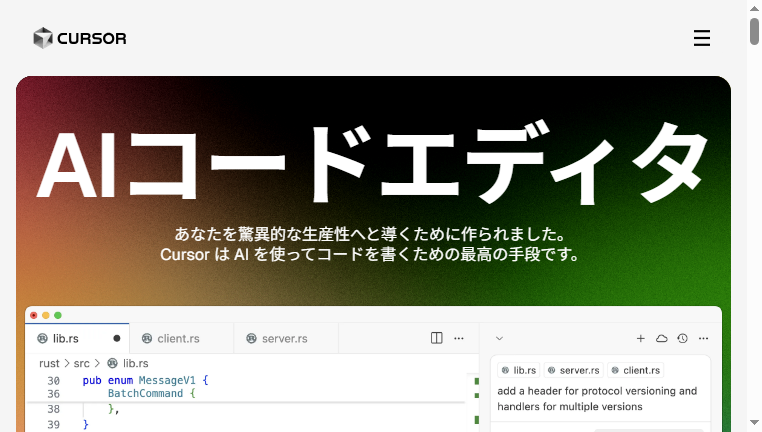
Cursor AI is an innovative AI code editor designed to enhance productivity in software development. It offers features like intelligent code completion, natural language processing for code generation, and efficient editing capabilities. Developers can leverage its advanced tools to create applications and software faster, with a predictive interface that adapts to their coding habits. Overall, Cursor AI significantly reduces coding time while improving accuracy and efficiency.
What you can do with Cursor AI and why it’s useful
◆Main Functions and Features
・Intelligent Code Completion
Cursor AI predicts the next lines of code, providing suggestions that enable developers to write faster and more accurately. This feature decreases the likelihood of syntax errors and enhances overall coding efficiency.
・Natural Language Processing
Users can write code by providing simple natural language prompts. This functionality allows for the quick creation of functions and classes, making coding accessible even to those with minimal programming experience.
・Code Base Recognition
The tool recognizes the existing code base and provides contextual suggestions. Developers can reference various files and documents to streamline their workflow, encouraging a more integrated coding process.
・One-Click Model Access
Cursor AI allows users to utilize pre-trained code models with a single click, saving time in searching for relevant coding examples or libraries. This feature boosts productivity by minimizing setup time.
・Seamless Editing Experience
The editing interface is designed to allow smooth adjustments to the code. Cursor AI learns from user interactions and optimizes the development process, reducing unnecessary clicks or steps.
・Multi-Language Support
The platform caters to coding in various programming languages, enabling a versatile coding experience. This broad support allows developers to work on diverse projects without switching tools.
◆Use Cases and Applications
・Rapid Application Development
Cursor AI streamlines application development by providing real-time suggestions and code snippets. This capability enables developers to push updates quickly and efficiently, responding to changing project requirements.
・Educational Tools for Programming Students
In educational settings, this tool assists students in learning programming by allowing them to write and test code with ease. It simplifies complex concepts, making coding more accessible and engaging.
・Collaborative Coding Sessions
During pair programming or team coding sessions, Cursor AI enhances collaboration by providing instant suggestions and code reviews. This ensures that all members can contribute effectively and share knowledge in real time.
・Debugging Assistance
Cursor AI helps identify and fix bugs in code more efficiently. By providing context-aware suggestions, it allows developers to troubleshoot issues without extensive searching through the code.
・Prototype Development
For rapid prototyping, Cursor AI enables developers to quickly create and test new ideas. Its quick coding mechanisms allow for the iterative testing and refining of software concepts, accelerating project timelines.
・Integration with Other Tools
Cursor AI can integrate seamlessly with various development tools and platforms, allowing developers to enrich their workflows and increase productivity without disrupting existing processes.
Cursor AI :Q&A
Who can use Cursor AI?
Geared toward engineers tracking trends, startups, R&D teams, investors, and AI enthusiasts.
What are the main use cases for Cursor AI?
Used for testing cutting-edge algorithms, trialing beta tools, evaluating new features, conducting competitive research, and tracking trends.
What pricing plans does Cursor AI offer? Is there a free plan or only paid plans?
Most tools offer free trials, but full versions are typically subscription- or token-based.
Copyright © 2026 AI Ranking. All Right Reserved