

Claude For Sheets
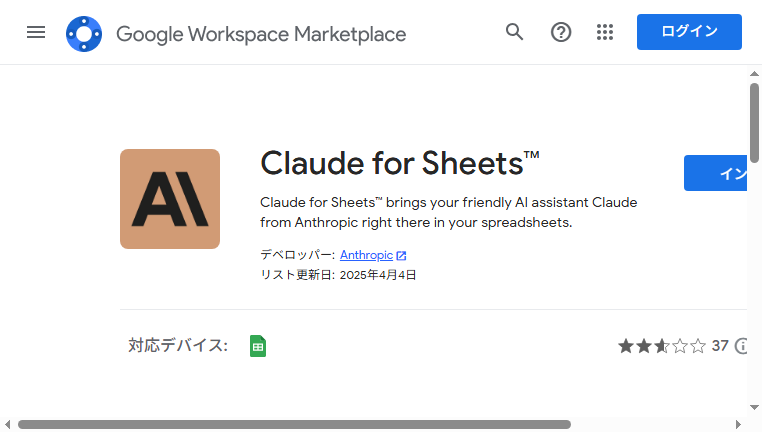
Claude For Sheets integrates an advanced AI directly into Google Sheets™, enabling text rewriting, translation, and classification functionalities seamlessly. Built with user-friendliness in mind, it streamlines your spreadsheet tasks, offering efficient and accurate AI-driven outputs. This tool enhances productivity by simplifying complex processes, making it an invaluable assistant for diverse data management needs.
Other versions of Claude For Sheets
For detailed specifications and features of each Claude For Sheets model, please refer to the detailed page for each version.- Core Tool Claude AI
- Feature Tool Claude 3.5 Sonnet
- Feature Tool Claude 3.7 Sonnet
- Feature Tool Claude 4(4.5 Sonnet/4.5 Opus)
What you can do with Claude For Sheets and why it’s useful
◆Main Functions and Features
・Text Rewriting
Claude For Sheets offers a text rewriting feature that automates the rephrasing of content directly within your spreadsheet. This helps in generating varied expressions of the same information, enhancing the readability and engagement of your text.
・Translation
With its translation capability, Claude For Sheets allows instant translation of text across multiple languages. Users can efficiently prepare multilingual documents without leaving the spreadsheet environment, thus saving time and effort.
・Classification
The tool's classification feature categorizes text data automatically based on defined parameters. This is particularly useful in organizing large datasets, enabling better analysis and understanding of the information.
・API Integration
Claude seamlessly integrates with external APIs, allowing users to pull in data from various sources directly into Google Sheets. This connectivity enhances the tool's versatility, catering to specific project needs.
・Custom Functions
Users can create custom functions tailored to their specific requirements within Claude. This adaptivity allows for highly personalized automation that can cater to unique spreadsheet needs.
・User-Friendly Wizard
The interface features a user-friendly wizard that guides users through complex tasks. This ensures that even those unfamiliar with AI or spreadsheets can easily leverage its powerful features.
◆Use Cases and Applications
・Data Analysis
Claude simplifies data analysis by providing insights through automated classification and rewriting tasks, making patterns in data easier to identify and interpret.
・Content Creation
For content creators, the rewriting and translation functions assist in generating diverse content pieces quickly, allowing for efficient content management without manual rewriting.
・Market Research
Using classification features, users can categorize survey responses or customer feedback, enabling a more straightforward analysis of trends and sentiments among respondents.
・Multilingual Documentation
The translation functionality is invaluable for businesses operating in multiple countries, allowing quick adaptation of documents to suit various language preferences seamlessly.
・API-Driven Projects
The API integration supports projects requiring real-time data from other platforms, enhancing collaborative efforts and making data-driven decisions easier.
・Onboarding New Team Members
With custom functions and a user-friendly interface, teams can onboard new members more efficiently by providing them automated templates and instructions embedded within Google Sheets.
Claude For Sheets :Q&A
How do I get started with Claude For Sheets? Do I need an account?
You can register using an email address or a Google account.
SMS verification via a mobile phone number is required during signup.
Claude is available on web browsers as well as iOS and Android apps, all using the same account.
Who owns the content generated by Claude For Sheets? Is commercial use allowed?
Commercial use is permitted. Claude’s commercial terms explicitly state that ownership of generated content is transferred to the user.
However, users are responsible for ensuring that generated content does not infringe on third-party rights.
What are the pricing plans for Claude For Sheets? Is it free or paid?
Claude is available for free, including access to the latest models such as Claude 3.5 Sonnet, with daily message limits.
【Paid Plan (Pro)】
A monthly subscription significantly increases usage limits, provides priority access during peak times, and grants early access to new features.
View all questions
Is Claude For Sheets safe? Is there a risk of personal data leakage?
Anthropic places a strong emphasis on safety.
While conversation data may be used for training by default, users can disable this in personal settings or through Team and Enterprise plans, which offer enhanced security controls.
Is it easy to cancel or stop using Claude For Sheets?
Paid Pro plans can be canceled in just a few clicks from the billing settings, and Pro features remain available until the next renewal date.
Accounts can also be fully deleted from the settings page, after which associated data is permanently removed.
What kind of company developed Claude For Sheets?
Anthropic is a U.S.-based AI startup founded by former OpenAI executives.
Backed by major investments from Amazon and Google, the company is known for its Constitutional AI approach, prioritizing safety, fairness, and human-centered design.
What can Claude For Sheets actually do? How is it used in practice?
Claude excels at natural language generation and long-context processing.
Long-form summarization: Analyze entire books or lengthy reports at once
Natural translation: Produce smooth, context-aware translations
Coding support: Generate and preview application code using Artifacts
It is particularly well-suited for users who value human-like writing and for tasks involving large volumes of text.
Copyright © 2026 AI Ranking. All Right Reserved